
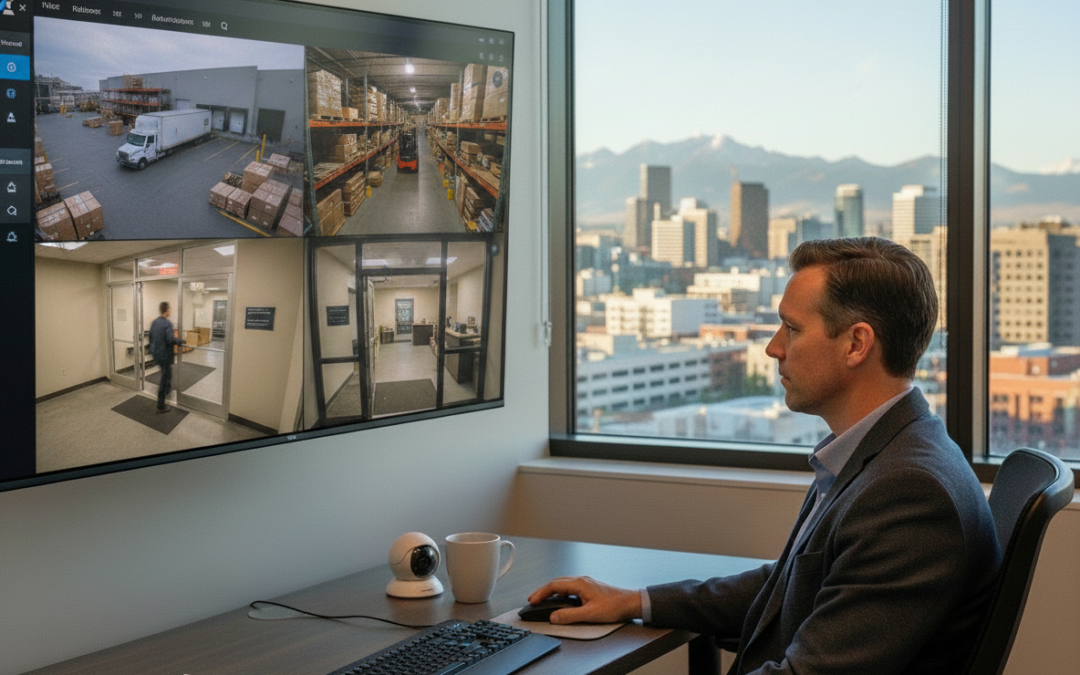
Managing security for a single site is hard enough. Add a second warehouse, a third office, a fourth retail location, or multiple multifamily properties—and suddenly your “security system” becomes a patchwork of logins, DVRs, and different camera brands that don’t play nicely together.
If you’re operating multiple commercial locations in and around Denver, you need a way to see what’s happening across your sites without being physically present. You also need to respond faster, reduce blind spots, and keep administration simple as teams change and sites expand.
That’s where cloud vms for multi site business operations shines.
A Cloud VMS (Cloud Video Management System) gives you centralized visibility, remote access, real-time alerts, and cloud-based administration—so you can manage security across multiple sites with less friction and more confidence.
What a Cloud VMS is (in plain language)
A VMS is the software layer that lets you view live video, search recorded footage, manage users, and configure cameras.
Traditional systems often store video locally on a DVR/NVR at each site. That can work—until you need to manage multiple locations, troubleshoot remotely, or standardize access for different teams.
A Cloud VMS moves key management functions into the cloud. Depending on the setup, video may be stored in the cloud, on-site, or in a hybrid model. What matters for multi-site operators is this: you get one consistent interface to manage many locations.
The multi-site security problem: visibility and control
Most multi-site security headaches come down to four issues:
- You can’t see everything in one place. Each site has its own recorder, its own login,
- and its own quirks.
- You can’t respond fast enough. By the time someone notices an issue, the incident is
- already over.
- Administration becomes a mess. New manager? Vendor access? Offboarding? It’s
- manual, inconsistent, and risky.
- Scaling is painful. Every new location adds more complexity instead of more
- capability.
A Cloud VMS addresses these problems by centralizing oversight.
1) Centralized dashboards: one view across every site
The biggest operational win of a cloud vms for multi site business is centralized visibility.Instead of jumping between systems, you can log into a single dashboard and:
- View live cameras across multiple locations
- Group cameras by site, building, or function (loading docks, entrances, parking)
- Standardize layouts so your team knows where to look
- Quickly check “health” status (offline cameras, storage issues, connectivity)
Example: multi-warehouse operations along the Front Range If you manage warehouses in Denver, Commerce City, and Boulder, you don’t want three separate systems with three different ways to find footage. With a centralized dashboard, you can pull up all loading dock cameras across all sites in one view—then drill down into the specific site when something looks off.
That’s not just convenient. It changes how you operate. You move from “reactive review” to “active oversight.”
2) Remote access: manage incidents without driving across town
Remote access is often marketed as “view cameras from your phone.” That’s true—but for multi-site operators, the real value is deeper.
With Cloud VMS remote access, you can:
- Verify alarms or suspicious activity in real time
- Check after-hours access events without waiting for a manager
- Review incidents from home, the office, or while traveling
- Share clips securely with stakeholders when needed
Example: multifamily properties with after-hours incidents If you oversee multiple multifamily properties around Denver, you know the pattern: package room disputes, parking lot incidents, unauthorized entry, and noise complaints.
Remote access means your team can quickly confirm what happened and respond appropriately—without sending someone on-site just to “check the cameras.”
That saves time and reduces unnecessary escalation.
3) Alerts that matter: faster response with fewer false alarms
Multi-site security fails when incidents go unnoticed.
A Cloud VMS can improve response time by pushing alerts to the right people at the right time. The goal isn’t to create more notifications—it’s to create better ones.
Depending on your setup, alerts can include:
- Motion or activity alerts in restricted areas
- Line-crossing alerts at gates or perimeter points
- After-hours activity alerts at entrances
- Camera offline or tamper alerts
- AI-driven alerts (like vehicle detection or license plate recognition)
Example: distributed commercial sites with limited on-site staff If you have multiple small commercial sites—say a mix of offices, storage yards, and service locations—there may not be a dedicated security person at each one.Alerts become your “force multiplier.”
Instead of relying on someone to notice something, the system flags unusual activity and routes it to the right operator.
The result: fewer missed incidents and a tighter operational loop.
4) Cloud-based administration: user access and permissions done right
In multi-site environments, user management is a security risk.
People change roles. Vendors come and go. Property managers rotate. If you’re managing access locally at each site, it’s easy to miss an offboarding step.
Cloud-based administration makes it easier to:
- Create role-based permissions (regional manager vs. site manager)
- Limit users to specific sites or camera groups
- Set temporary access for vendors or contractors
- Audit who accessed what and when
- Remove access instantly across every site
Why this matters for compliance and liability When an incident happens, you want two things:
- The footage
- The access trail
A strong Cloud VMS setup helps you prove that access is controlled and that video handling is consistent—important for liability management in multifamily, logistics, and commercial operations.
5) Standardized workflows: less training, fewer mistakes
When every site has a different system, training becomes a recurring cost.
A Cloud VMS helps you standardize:
- How staff view cameras
- How incidents are documented
- How footage is exported and shared
- How alerts are handled
That consistency matters when you’re onboarding new property managers, rotating supervisors, or expanding to new locations.
6) Easier scaling: add locations without adding chaos
Multi-site businesses grow. The question is whether your security setup grows cleanly—or becomes a bigger mess.
With a Cloud VMS, adding a new location can be more straightforward because you’re extending an existing platform instead of creating a new island.
You can:
- Bring new cameras into the same dashboard
- Apply the same permission structure
- Use the same alert rules and layouts
- Maintain a consistent retention policy
For operators expanding across the Denver metro area, this is a major advantage. You can keep your security posture consistent even as your footprint changes.
7) Better uptime and faster troubleshooting
When a camera goes offline at one site, you don’t want to find out a week later—after an incident.
Cloud VMS platforms typically provide system health monitoring so you can spot:
- Offline devices
- Storage issues
- Network connectivity problems
- Camera tampering
That means you can fix problems before they become failures.
Example: warehouses and loading docks Loading docks are high-activity zones. Cameras get bumped, blocked, or damaged.
If your system flags a camera offline immediately, you can address it quickly—protecting the area that’s most likely to be involved in theft, damage claims, or safety incidents.
8) Practical use cases for Denver-area multi-site operators
Let’s make this real. Here’s how cloud vms for multi site business operations plays out in common Denver-area scenarios.
Warehouses and industrial sites
- Centralized view of loading docks, yard gates, and inventory areas
- Vehicle and perimeter alerts after hours
- Faster incident review for theft, damage, or safety events
- Reduced downtime with camera health monitoring
Multifamily portfolios
- Remote review of parking lots, entrances, mailrooms, and amenities
- Faster resolution of disputes and incident claims
- Controlled access for property managers and maintenance teams
- Consistent workflows across properties
Distributed commercial locations
- One dashboard for multiple offices, service centers, and storage sites
- Standardized permissions for regional leadership
- Alerts that route to the right person without on-site security
- Easier expansion as you add new locations
What to look for in a Cloud VMS for multi-site business
Not all Cloud VMS platforms are equal—especially when you’re dealing with mixed camera brands, older systems, or a need to retrofit.
When evaluating options, look for:
- Multi-site organization: easy grouping by location and camera type
- Strong permission controls: role-based access and audit logs
- Reliable alerts: configurable rules and meaningful notifications• Search and retrieval speed: the ability to find incidents fast
- Compatibility: support for a wide range of camera models
- Hybrid flexibility: options for cloud, on-prem, or mixed storage
The right platform should reduce complexity—not add another layer of tools.
Where Fortify Security fits in
At Fortify Security, we help Denver-area operators manage physical security like a system—especially when they’re juggling multiple sites.
We design and install commercial surveillance systems, retrofit existing camera infrastructure when it makes sense, and support cloud-based video management that gives you centralized visibility and control.
If you’re tired of:
- Driving to sites just to review footage
- Managing a different login for every location
- Finding out that cameras were offline after an incident
- Getting buried in alerts that don’t help
…then it’s time to modernize the way you manage video.
If you operate multiple locations around Denver and want a clearer, faster, more manageable security setup, Fortify Security can help you evaluate whether a Cloud VMS is the right fit—and how to deploy it without ripping and replacing what already works.
Reach out to Fortify Security to schedule a multi-site security walkthrough. We’ll map your locations, identify your biggest visibility gaps, and recommend a Cloud VMS approach that improves oversight, reduces response time, and scales with your
business.