
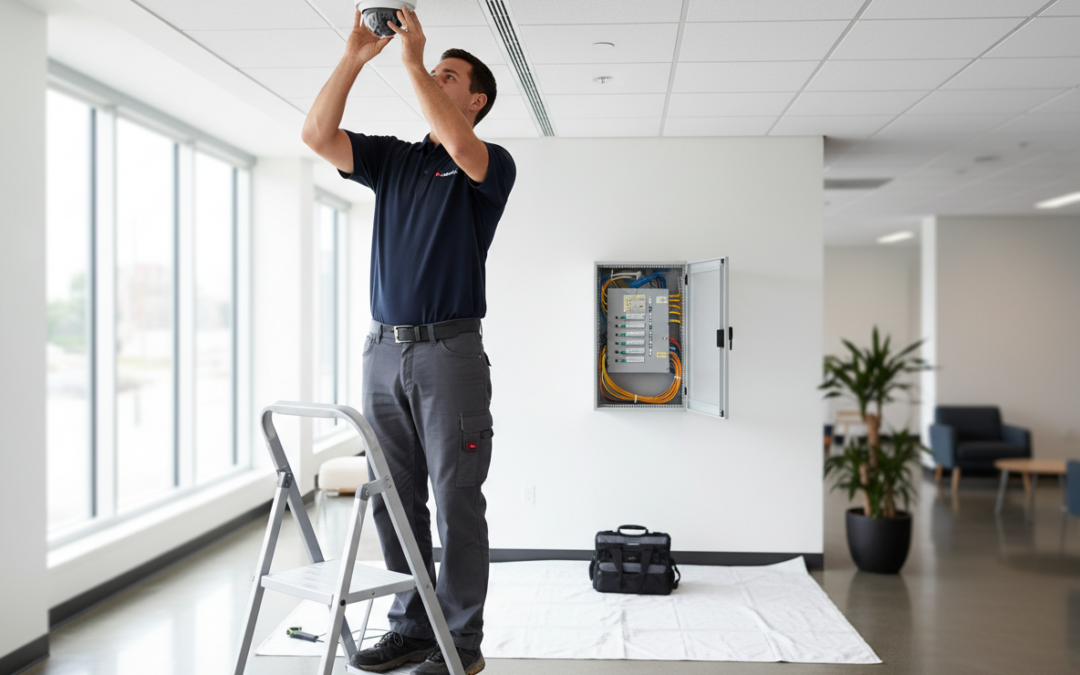
When you invest in a commercial camera system, you’re not just buying hardware—you’re building a security capability. Done right, the project is structured, documented, and tested end-to-end, with clear checkpoints from the first walkthrough to final training.
Below is what you should expect from a professional commercial security camera installation project in the Denver metro area, from consultation and design through deployment, testing, and handoff.
Stage 1: Discovery Call and On-Site Security Assessment
A real installation starts with understanding your environment, not pushing a one-size-fits-all kit. In the early phase, you’ll typically have:
- A short discovery call to confirm your goals, timeline, and constraints
- An on-site walkthrough to evaluate the property and risk areas
- A discussion of how your business actually operates day to day
During the assessment, you should expect your installer to ask practical questions, such as:
- What incidents are you trying to prevent or document (theft, vandalism, slip-and-fall claims, internal shrink, after-hours access)?
- Which areas matter most (front desk, loading dock, parking, hallways, cash handling, server rooms)?
- What are your hours, and when is the building least busy?
- Do you have existing cameras that should be reused or retrofitted?
For Denver business owners, this stage is also where weather, lighting, and site layout come into play. Snow glare, early winter sunsets, and mixed indoor/outdoor lighting can all affect camera selection and placement.
Stage 2: System Design and Camera Placement Planning
Once the site is understood, the next step is a design that matches your goals. This is where professional work looks different from “we’ll put cameras wherever we can.”
Coverage planning: what you’ll see (and what you won’t)
A strong plan defines coverage zones and purpose for each camera:
- Identification (faces at entrances, point-of-sale, badge doors)
- Observation (general activity in open areas)
- Recognition (confirming a person or vehicle is the same one seen earlier)
- Deterrence (visible cameras and signage in high-risk areas)
You should expect a camera placement plan that considers:
- Field of view and mounting height
- Lighting conditions (day/night, backlighting, shadows)
- Choke points (doors, gates, hallways, elevator lobbies)
- Privacy boundaries (restrooms, tenant spaces, neighboring properties)
Hardware selection: cameras, recording, and network
Your installer should recommend equipment based on the environment, not just price:
- Fixed vs. varifocal lenses (wide coverage vs. tighter detail)
- Dome vs. turret vs. bullet housings (tamper resistance, glare control, aesthetics)
- IR night vision vs. white light for color at night
- NVR vs. cloud-managed VMS depending on retention, access, and scalability
If you’re planning to use AI features—like license plate recognition, vehicle analytics, or AI video search—this is the stage where requirements should be clarified. AI works best when the camera is placed and configured to capture the right angles and detail.
Deliverables you should receive
A professional design phase typically produces:
- A proposed camera count and locations
- A scope of work (what’s included, what’s optional)
- A plan for cabling and network connectivity
- A timeline that accounts for your business hours
Stage 3: Pre-Installation Prep (The “Minimize Disruption” Phase)
This is the part that matters most if you’re worried about disruption. A good installer plans around your operations.
Expect coordination on:
- Work windows: early mornings, evenings, or low-traffic days
- Access: keys, badge access, escort requirements, and restricted areas
- Safety and cleanliness: ladder placement, lift use, dust control, and cleanup
- Tenant communication: for multifamily or multi-tenant buildings
If your site has ceilings that require special handling (drop ceiling, hard lid, open deck), or if you’re in an active commercial construction environment, the prep phase should include a plan for staging materials and keeping pathways clear.
Stage 4: Cabling and Infrastructure (Where the Real Work Happens)
In most commercial security camera installation projects, cabling is the longest and most labor-intensive stage. It’s also the stage that determines long-term reliability.
What cabling typically includes
Most modern commercial systems use IP cameras with Power over Ethernet (PoE). That means a single cable can deliver both power and data.
Your installer may run:
- Ethernet cabling from camera locations back to a network closet
- Conduit in exposed areas (warehouses, parking structures, exterior runs)
- Patch panels and labeling for long-term serviceability
What you should expect from a professional crew
A professional installation team should:
- Label every cable and document terminations
- Use proper supports (no loose runs or unsafe routing)
- Protect cable pathways from heat, moisture, and tampering
- Coordinate with your IT environment (VLANs, switch capacity, uplinks)
This is also where disruption is managed. The best teams keep noise and ceiling access contained, work in sections, and clean up daily—especially in customer-facing spaces.
Stage 5: Camera Mounting and Hardware Installation
Once infrastructure is in place, cameras are mounted and aimed. This stage moves quickly, but it’s not “set it and forget it.”
You should expect:
- Secure mounting with appropriate anchors and weather sealing
- Thoughtful placement to reduce glare and avoid obstructions
- Initial aiming based on the design plan
- Tamper-resistant hardware in vulnerable areas
For exterior cameras in Colorado, weatherproofing matters. Proper gaskets, drip loops, and sealed penetrations help prevent moisture intrusion and long-term failures.
Stage 6: Network, Recording, and VMS Configuration
This is where the system becomes usable. Configuration includes both technical setup and practical decisions about how you’ll operate the system.
Typical configuration steps include:
- Assigning IP addresses and naming cameras logically
- Setting recording schedules (24/7 vs. motion-based)
- Configuring retention (how many days of video you keep)
- Setting user roles and permissions (admin vs. viewer)
- Enabling remote access securely (without opening risky ports)
If you’re using a cloud VMS or a hybrid approach, you should also expect:
- Account setup and device enrollment
- Bandwidth planning (especially for multi-site or high-resolution systems)
- Mobile and desktop app configuration
A professional installer should prioritize security here. Cameras are network devices. If they’re configured poorly, they can create risk. Proper passwords, firmware updates, and segmentation are not “extras”—they’re part of doing the job right.
Stage 7: System Testing and Verification
Testing is where you find out if the plan actually works in the real world.
A thorough test process should include:
- Confirming every camera is online and recording
- Verifying image quality in day and night conditions
- Checking motion detection zones (to reduce false alerts)
- Testing playback and export (your ability to pull evidence quickly)
- Validating remote viewing on approved devices
This is also where adjustments happen:
- Fine-tuning camera angles to eliminate blind spots
- Adjusting exposure for backlit entrances
- Confirming license plate capture angles if LPR is included
If your installer doesn’t test exports, playback speed, and real-world usability, you’re not getting a complete installation.
Stage 8: User Training and Operational Handoff
Even the best system fails if your team doesn’t know how to use it. Training should be practical, role-based, and focused on the tasks you’ll actually perform.
What training should cover
Expect training on:
- Live view vs. playback
- Searching by time and camera
- Exporting clips for police, insurance, or internal investigations
- User permissions and audit trails
- Basic troubleshooting (what to check before calling support)
If your system includes AI features, training should also cover:
- How to search events (vehicles, people, specific attributes)
- How to set up alerts responsibly (so you don’t get notification fatigue)
- How to verify AI results with video evidence
Documentation you should receive
A professional handoff includes:
- Camera list and locations
- Login and access instructions (stored securely)
- Network notes (IP scheme, switch ports, VLAN info)
- Warranty and support information
- A simple “how to export video” guide for quick reference
Stage 9: Post-Install Support, Maintenance, and Optimization
Your needs will change. Staff turns over. Layouts change. Risk changes. A good installer plans for the long term.
After installation, you should expect options for:
- Health checks (camera uptime, storage, firmware)
- Cleaning and lens checks for outdoor cameras
- Add-on cameras as your facility grows
- Retrofitting legacy cameras if you have existing infrastructure
This is also where you can optimize. Many businesses start with core coverage, then expand once they see how valuable fast video retrieval and better visibility can be.
How Much Time Does It Take to Install Commercial Security Cameras?
Timelines vary based on building size, camera count, ceiling type, and cabling complexity:
- Small offices or retail spaces may take a few days
- Larger warehouses, multifamily properties, or multi-building sites may take longer
The key is not just speed—it’s sequencing. A professional team schedules the loudest, most disruptive work during low-impact windows and keeps customer-facing areas clean and safe.
What You Can Do to Make the Project Smoother
You can help your installation go faster and cleaner by:
- Identifying a point of contact for access and decisions
- Sharing building plans (if available)
- Confirming IT policies early (network access, switch capacity)
- Communicating any “no-go” hours or sensitive areas
When you and your installer are aligned, the project stays predictable.
The Bottom Line: A Professional Process Protects Your Business
A commercial security camera installation should feel like a controlled project, not a disruption. You should know what’s happening, when it’s happening, and what “done” looks like—before the first cable is pulled.
If you’re a Denver-area business owner and you want a system that’s designed for real-world security (not just a camera count), Fortify Security can walk your site, build a plan, and install with minimal disruption.
Schedule a Consultation
If you’re considering a commercial security camera installation in Denver, Boulder, or Colorado Springs, schedule a consultation with Fortify Security. We’ll assess your site, recommend the right coverage, and deliver a professional installation with clean cabling, secure configuration, and training your team can use on day one.